Note
Go to the end to download the full example code.
Modal cantilever — first modal example#
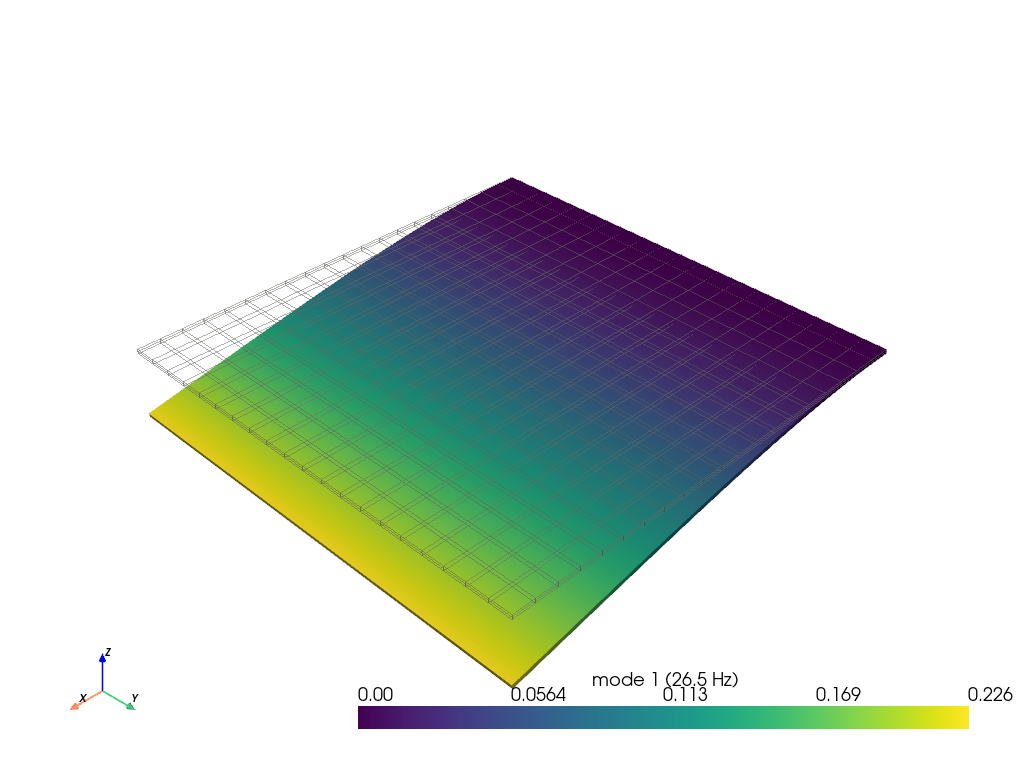
A 60-second introduction to free-vibration analysis in femorph-solver: build a steel plate, clamp one edge, extract the first 5 modes, render the lowest mode shape.
from __future__ import annotations

import numpy as np
import pyvista as pv

import femorph_solver
Build a 20 × 20 × 2 hex plate#
E, NU, RHO = 2.0e11, 0.30, 7850.0
LX, LY, LZ = 1.0, 1.0, 0.01
NX, NY, NZ = 20, 20, 2

grid = pv.StructuredGrid(
    *np.meshgrid(
        np.linspace(0.0, LX, NX + 1),
        np.linspace(0.0, LY, NY + 1),
        np.linspace(0.0, LZ, NZ + 1),
        indexing="ij",
    )
).cast_to_unstructured_grid()
Wrap and stamp material#
m = femorph_solver.Model.from_grid(grid)
m.et(1, "SOLID185")
m.mp("EX", 1, E)
m.mp("PRXY", 1, NU)
m.mp("DENS", 1, RHO)

pts = np.asarray(grid.points)
node_nums = np.asarray(grid.point_data["ansys_node_num"])
for nn in node_nums[pts[:, 0] < 1e-9]:
    m.d(int(nn), "ALL")
Extract 5 modes#
res = m.modal_solve(n_modes=5)

print("Mode     f [Hz]")
for i, f in enumerate(res.frequency, start=1):
    print(f"{i:>3}   {f:>10.3f}")
Mode     f [Hz]
  1       26.507
  2       33.751
  3      166.483
  4      175.654
  5      175.890
Visualise mode 1#
grid_plot = femorph_solver.io.modal_result_to_grid(m, res)
phi1 = grid_plot.point_data["mode_1_disp"]
factor = 0.15 / (np.max(np.abs(phi1)) + 1e-30)

plotter = pv.Plotter(off_screen=True)
plotter.add_mesh(grid_plot, style="wireframe", color="gray", opacity=0.3)
plotter.add_mesh(
    grid_plot.warp_by_vector("mode_1_disp", factor=factor),
    scalars="mode_1_magnitude",
    show_scalar_bar=True,
    scalar_bar_args={"title": f"mode 1 ({res.frequency[0]:.1f} Hz)"},
)
plotter.add_axes()
plotter.show()
Total running time of the script: (0 minutes 0.518 seconds)